



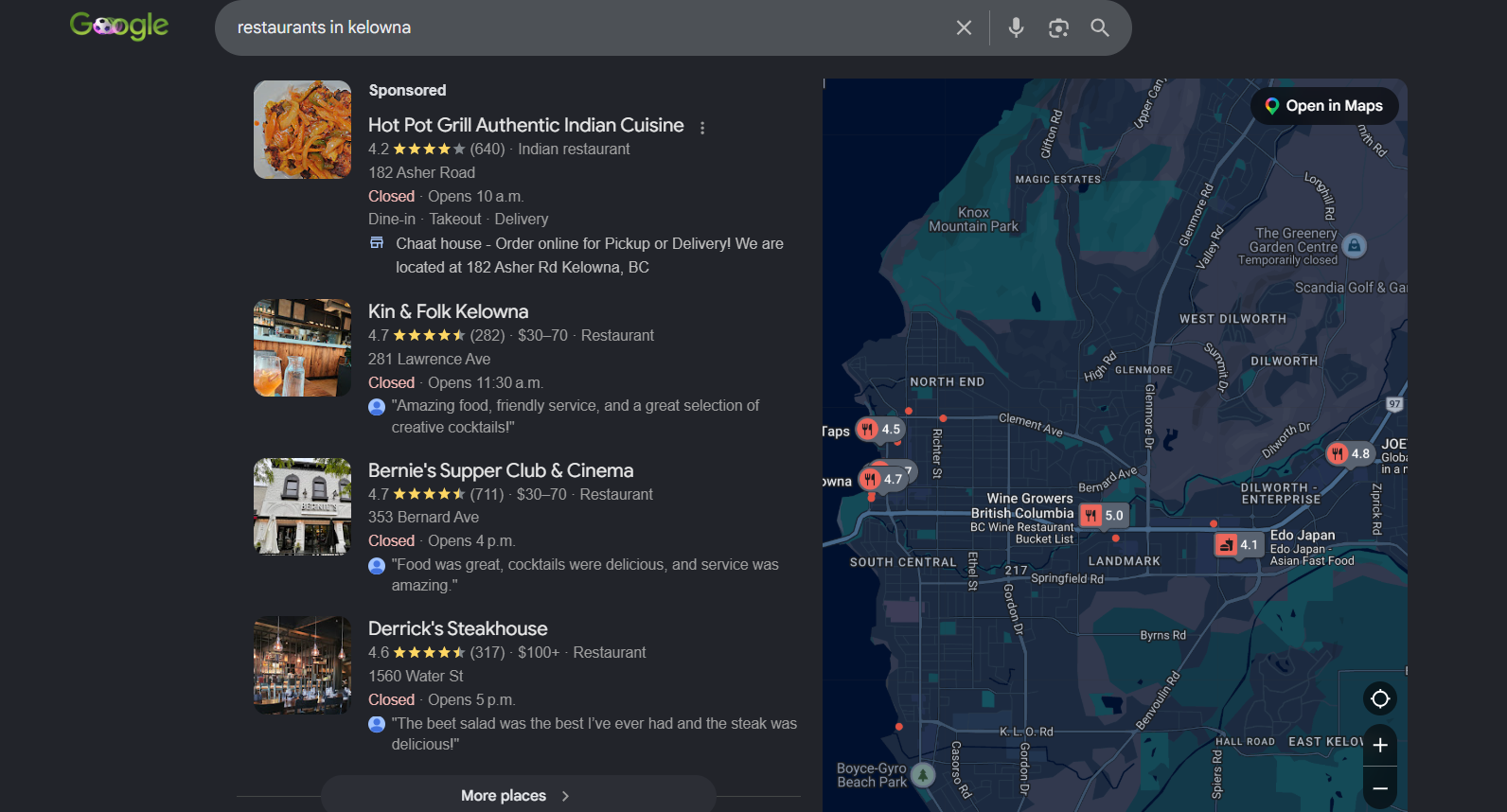
Interested in learning how to dominate Google Maps and outperform your competitors? Read on to find out more.
Grab your phone and do a quick search in Google by typing “near me.”
What do you see? There will be a cluster of businesses at the top of your search results along with the rest hidden away on page 2 and beyond.
If you’re not in that premium top spot, your business will mostly be invisible to many local searches – even if your business is 5 minutes away from the visitor.
Getting your Google Maps listing in order is what you need to do to ensure your business shows up, gets a decent ranking, and looks like a trustworthy business the moment someone searches for what you do nearby.
It’s a mix of technical setup, ongoing maintenance and reputation management.
Here’s how to do it properly, what else you need to get your maps presence sorted, and how to sort out any issues if your listing has gone quiet.
Why Ranking Higher on Google Maps Really Matters
Google decides your map rankings based on three main factors:
-
- Relevance – how well your business matches what’s searched
-
- Distance – the proximity of your business to the person doing the searching (or the area they searched)
-
- Prominence – how well known and well reviewed your business is, both on Google and other search engines
You can’t do much about distance. But relevance and prominence are mostly in your hands.
This is great news for you. These are also the areas where most businesses miss the easy gains.
It’s also worth keeping in mind what’s at stake.
The top three businesses in the map pack – the ones at the top of your local search results – get the vast majority of clicks.
Businesses just a position or two behind that get dramatically less traffic.
In a competitive market, the difference between third and fifth position can mean a full diary or an empty one.
Here’s a more thorough breakdown for you:
Relevance
Relevance refers to how well your business listing matches the user’s search intent. Google wants to show listings that are most relevant to what the user is looking for.
Complete your GBP with detailed information about your business, products, and services.
For example, a landscaping business could update the following:
-
- Business category: Choose the most relevant category (in this case, “Landscaper”)
-
- Description: Write an engaging description of your services and unique selling points
-
- Services: List all services, such as lawn care, garden design, etc.
-
- Image and videos: Upload images of equipment, before-and-after shots, and the team at work. Add videos
showcasing your services and tours of completed projects.
- Image and videos: Upload images of equipment, before-and-after shots, and the team at work. Add videos
Distance
Distance refers to how far your business is from the location indicated in a search query.
For example, assume you own a Thai restaurant in Kelowna. When a person searches “Thai in Kelowna,” Google calculates the distance between the user’s location, and your business’s physical location.
There isn’t much you can do about this factor. Only change your listing’s location if you move the business.
Prominence
Prominence refers to how well-known your business is. Google considers factors such as ratings, number of reviews, and online business information.
For example, Kin & Folk Kelowna ranks first in the local pack for “Thai in Kelowna.”
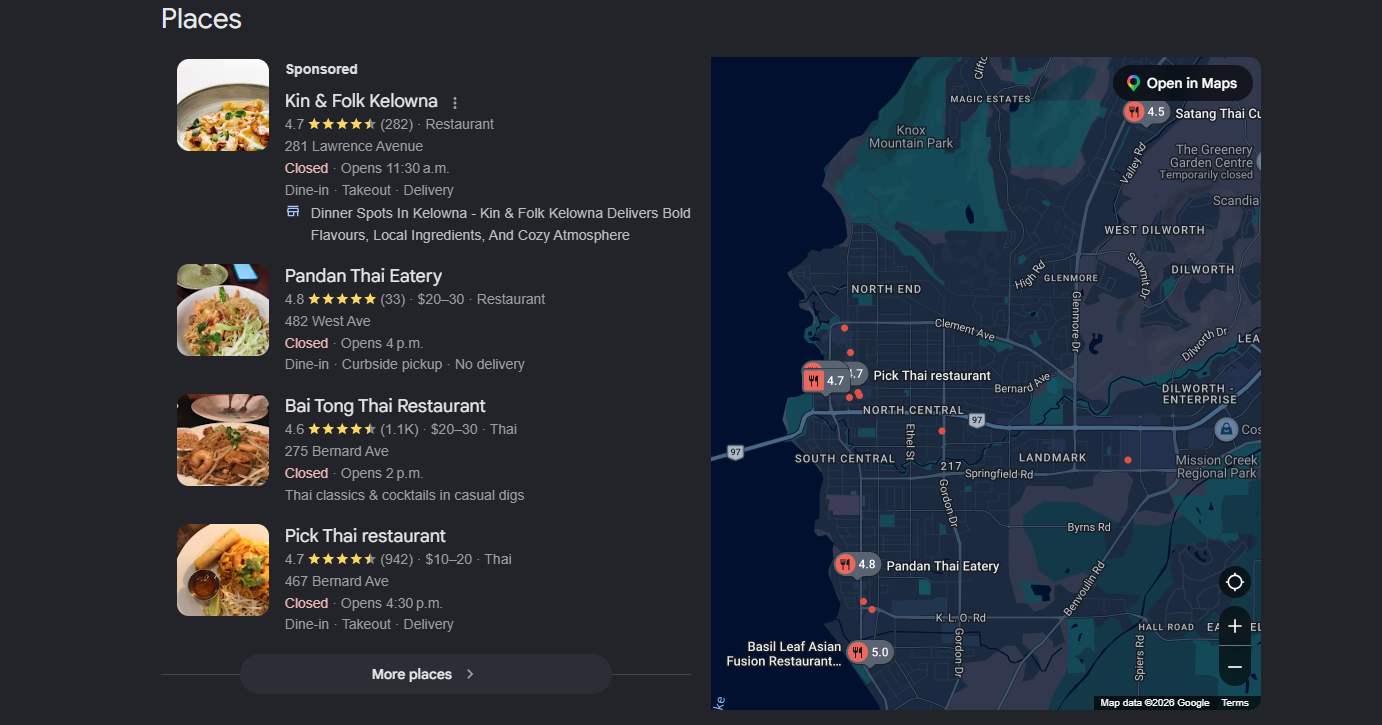
The restaurant has over 280+ reviews, which is more than 8 times the number of reviews than the second listing.
Along with a 4.7 average rating, Google clearly sees it as well-known.
If you open a competing Thai restaurant in the same area, you likely won’t rank in the local pack until you’ve reached a similar level of prominence.
Here are a few things you can do to improve your local prominence:
-
- Fill out your GBP completely. Including name, address, and phone number (NAP), operating hours, amenities, service and product offerings, and more.
-
- Encourage customers to leave Google reviews
-
- Follow on-page SEO best practices for your site. Check out my SEO services
-
- Create helpful, localized content on your site
-
- Get NAP citations on social media profiles and business directories
-
- Earn backlinks by reaching out to other local businesses, contacting local newspapers, and supporting/sponsoring local events
Best practices for managing and responding to Google reviews include:
-
- Regular monitoring: Enable alerts for new review notifications. By monitoring regularly, you can react quickly. And address any issues that arise
-
- Reply to every review: Answer every review, even if it’s negative. Thank customers for great comments, acknowledge and resolve any critical feedback concern
-
- Stay professional: Maintain a polished, professional tone in each response. Be respectful and courteous when addressing compliments or complaints
-
- Make it personal: Show you value the reviewer’s input. Use their name when possible and mention specific details from their review
-
- Keep it concise: Write responses that are straightforward and easy to read, avoid long replies that may appear overwhelming
-
- Be professional: Use a professional tone while responding, be courteous to the reviewer’s praises and concerns
-
- Personalize: Show you value the reviewer’s feedback by using their name if they provide it and reference details from their review
Google maps optimization: How to Get Your Google Maps Listing in Shape
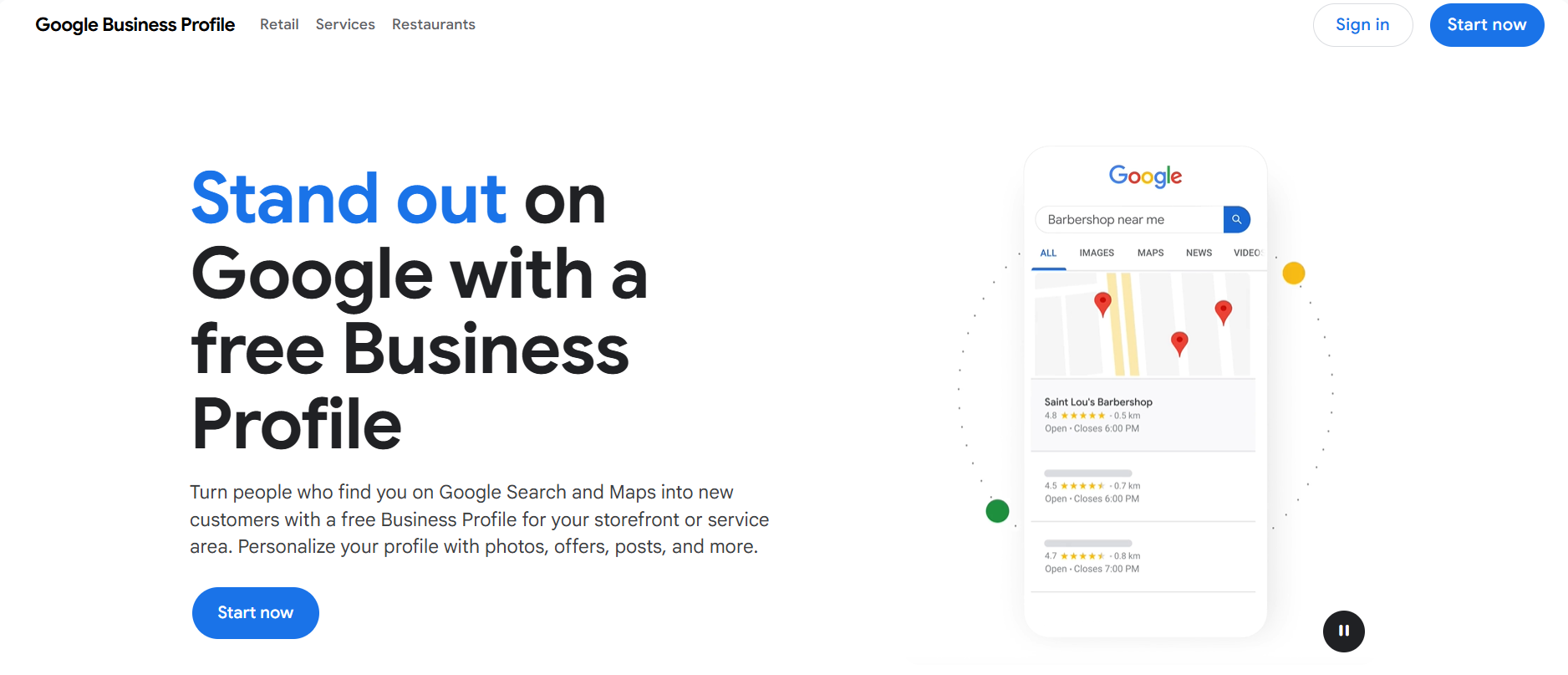
1. Fill Out Your Google Business Profile Completely
I notice this a lot – profiles that aren’t completely filled out. Profiles that are half-done tend to rank poorly.
Fill in every field – categories, services, attributes, business description, opening hours and contact details.
A half-filled profile tells Google your business may not be very relevant. It also gives potential customers less reason to trust you over competitors with fuller listings.
2. Choose Your Categories Carefully
Your top category carries weight – “coffee shop” is ranked differently from “cafe” is ranked differently from “bakery”.
Pick the option that best matches what your customers want.
Then add secondary categories that reflect everything else you offer.
It’s worth going back to review your categories every few months, especially if you’ve added new services.
3. Get Your NAP Details in Order
Your Name, Address and Phone number need to match everywhere – your website, Google profile, other directories and social media.
Even small errors can lower your ranking.
For example, you might miss a suite number.
Or you might have an old phone number listed in an outdated directory.
Google cross-checks all this information across the web to make sure your business is legitimate and is where you say it is.
When that information doesn’t match it raises doubts.
4. Add New Photos Regularly
Profiles with fresh photos see more engagement, and engagement is something Google is tracking.
Add a new photo every month or so – of your exterior, interior, products, team or completed work.
Businesses that let their photos get stale for years on end tend to look less trustworthy than those that keep their presence up to date.
5. Get People to Leave Reviews
Review count, review recency and rating all count towards prominence.
Ask happy customers to leave a review, make it easy for them and then respond to every review you get – whether it’s positive or negative.
A steady trickle of new reviews over time tends to do better than a big batch all at once, which can also look suspicious in the eyes of Google.
6. Post on Google Regularly
Google Posts are a simple way to let people know what’s going on with your business – updates, offers, events.
Businesses that post regularly tend to outperform those that just set up a profile and then do nothing.
It also gives you a free bit of real estate to highlight promotions or seasonal stuff directly in search results.
7. Get Listed on Other Local Directories
Get your business on other local directories, Chamber of Commerce sites and industry specific listings.
Consistent listings across the web tell Google your business is real and local.
They also help boost your visibility.
8. Get Linked from Other Local Businesses
Links from other local businesses, news mentions or community organisations tell Google that your business is a trusted part of the area.
It’s a harder signal to replicate quickly.
Beyond the Basics: Other Things That Influence Your Maps Performance
Most guides stop at the basics but there’s more to a strong Google Maps presence than just the fundamentals.
Use the Q&A Section Wisely
Anyone can ask a question & answer one on your Google Business Profile – including you.
Fill the Q&A section with the sorts of questions customers actually ask – like how much parking is there, do you take walk-ins, or do you offer a particular service.
Doing this has a two-for-one bonus: it boosts the customer experience and adds more relevant keyword-rich content to your profile.
Get Your Messaging & Booking in Order
If you’re the type of business that lets customers ask quick questions before booking, enable direct messaging from your profile.
It’s a real time-saver and removes all the friction between someone finding you & actually turning them into a customer.
Fill out the Products and Services Tabs – don’t skip it!
Many businesses skip this. But listing your products or services helps. Add short descriptions and prices when you can. This gives Google more details to match searches. It also helps customers understand what you offer before they visit your website.
Use Attributes Wisely
Attributes like “women-owned”, “wheelchair accessible” – or even something as simple as “free Wi-Fi” aren’t just nice to have – they help your profile come up in more specific searches and make a customer more likely to choose you over a rival with a less detailed listing.
Keep an Eye on Your Website’s Local Signals too
Google Maps isn’t just about your profile on its own – your actual website plays a role too.
Make sure you include your city and service area naturally in page titles and headings, and that your address is on your site’s footer or contact page – ideally with a map embedded.
Having a fast-loading, mobile friendly site will help with your local rankings too – after all, a poor website experience will undermine all the work you’re doing to boost your profile elsewhere.
Keep an Eye on Your Insights
Your Google Business Profile dashboard shows you how people are finding you – whether it’s from a “branded” search (i.e. they’re searching for your business name) or a more general search for a category you belong to – what actions they take (calls, directions requests, website clicks), and even what search terms led them to your listing.
Go through this data every month to spot opportunities to improve – for example, if a competitor is doing better on a search term you’re not currently optimised for.
Keep an Eye on Your Competitors
Just search the terms your ideal customers would use and see who’s consistently showing up in the map pack.
Note what they’re doing differently – more reviews, a more complete profile, better photos, more specific categories.
It’s not about copying them, but getting a sense of what makes a profile stand out in your specific market will help you spot easy wins in your own profile.
Your Business Isn’t Showing Up on Maps? Try This Step by Step
If your business just disappeared from Maps or never showed up in the first place, work through this one by one.
1. Get Listed on Other Local Directories
Log into Google Business Profile and see if there are any warning messages telling you why it’s not working.
Sometimes listings get suspended for policy breaches (like keyword stuffing in your business name) or because they weren’t verified in the first place
2. Search For Your Exact Business Name
If you can’t even find your listing by searching for your business name straight up, it’s probably not been verified, been merged with a duplicate listing, or got removed for policy reasons.
3. Check For Any Duplicate Listings
Duplicate profiles split your reviews, confuse Google and actively hurt your rankings. Search for variations of your business name and address to check and request removal of any duplicates.
4. Check For Keyword Stuffing in Your Business Name
If you added keywords to your business name just for the sake of it (like “Jane’s Bakery – Best Cakes in Kelowna”) you’re actually violating Google’s guidelines and could be getting your listing suppressed or suspended.
Your listed name should be identical to your real world signage.
5. Check Your Service Area or Address
If you’re a service-area business without a physical storefront, make sure you’ve hidden your address and defined your service area properly.
A misconfigured location is one of the most common reasons local businesses disappear from Maps.
6. Check for a recent move, a flag for a rebrand, or closure
If you moved locations, changed your business name, or a customer incorrectly closed your listing, you’ll be pulled out of search results until it’s sorted.
Anyone can suggest an edit to a Google listing which means sometimes the edit goes through without the business owner even noticing.
7. Audit your NAP consistency again
Even having an old address on some directory will confuse Google about where your business actually is and suppresses your visibility.
8. Look at your review profile
A drop in reviews, a pile of unanswered negative reviews, or reviews flagged as fake can all impact your visibility.
Clean up what you can, report reviews that clearly don’t belong and keep on generating genuine reviews.
9. Check for a suspension notice from Google
Google sometimes emails business owners directly to let them know about a policy issue.
Check your email account (even spam) for any notices you might have missed.
Give Time for Google to Bounce Back – Google doesn’t snap back into place the moment you’ve fixed an issue.
After fixing a suspension, a duplicate, or a profile issue, it can take anywhere from a week or so to a few weeks to see your ranking bounce back.
Try to resist the temptation to keep tweaking things during this time – constant changes can sometimes trigger even more delays.
Common Mistakes that are quietly Damaging Your Local Rankings
Even when your Google listing looks fine on the surface, there are some not-so-obvious things worth checking out:
-
- Letting your hours lapse – especially if it’s around holidays. Inaccurate hours are just going to frustrate your customers and make them wonder if you’re even worth dealing with
-
- Ignoring those negative reviews instead of just responding like a normal human being. That can make a real impact on both your rankings and how customers perceive you
-
- Using a virtual office or PO box as your address – that’s not going to fly with Google’s rules, especially for most business types
-
- Leaving your profile to gather dust month after month – inactive profiles tend to slip behind those of your competitors who at least bother to keep their stuff up to date
-
- Forgetting to update your hours and service area after changes to your business – like adding a new location or switching to appointment-only
Google Maps Optimization – it’s an Ongoing Process, not a One-time Deal
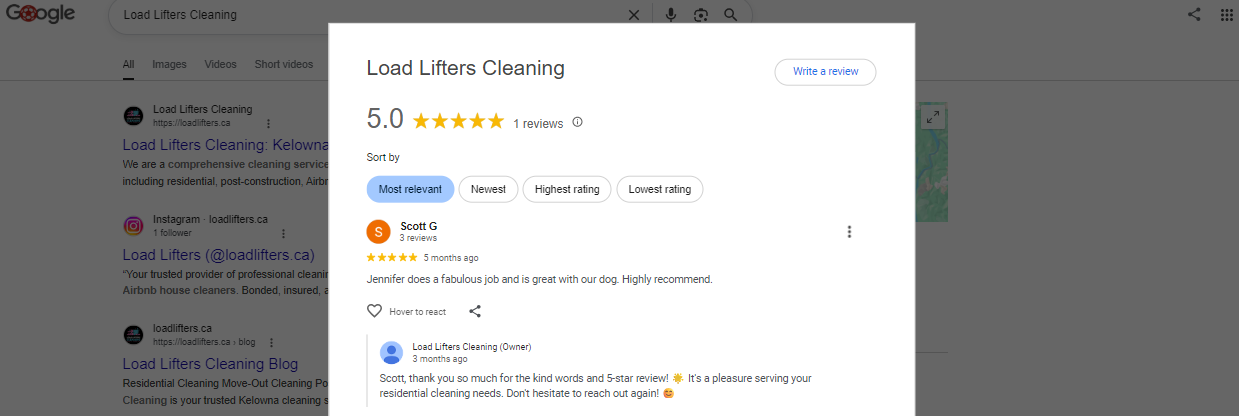
Optimizing your Google Maps listing is not some one-shot thing where you set everything up and that’s it.
It’s a constant effort to keep your profile complete, active and trustworthy in Google’s eyes, while also making sure the rest of your online presence (your website, your reviews, your local citations) all chime in to back up what your Google listing is telling people about your business.
Whether you’re trying to go from page 3 to the map pack, or get your profile sorted with the extras most of your competitors are missing, or figure out why your listing vanished in the first place, the above fixes and strategies will cover the vast majority of your problems.
If you’d rather have someone figure all that out for you, I do local SEO audits that are built specifically for businesses in the Okanagan trying to stay ahead of the competition.
Get in Touch for a Google Maps Audit →
Google Maps Optimization – FAQ
1. What are the three main factors Google uses to rank Maps listings?
Relevance, distance, and prominence.
Relevance is how well your listing matches the search, distance is how close you are to the searcher, and prominence is how well-known and reviewed your business is.
Distance is largely outside your control, but relevance and prominence are areas where most businesses can make quick gains.
2. Why does ranking in the top 3 of the map pack matter so much?
The top three results in the local map pack capture the large majority of clicks, and traffic drops off sharply for businesses even one or two spots lower — so the difference between third and fifth place can meaningfully affect how much business comes in.
3. How can I improve my business’s relevance on Google Maps?
Fill out your Google Business Profile (GBP) completely — accurate hours, the right category, a strong description, a full list of services, and regularly updated photos and videos all help Google match your listing to relevant searches.
4. What can I do about the “distance” ranking factor?
Not much — this factor is based on your business’s actual physical location relative to the searcher.
The only real lever here is your listed address, which should only change if you actually move.
5. How do I build prominence for my business?
Complete your NAP details (name, address, phone), encourage genuine customer reviews, follow on-page SEO best practices, publish localized content, get listed consistently across directories, and earn backlinks from other local businesses or organizations.
6. How should I handle Google reviews?
Monitor reviews regularly, respond to all of them (positive and negative), keep your tone professional, personalize responses where you can, and keep replies concise.
7. Does my business category choice actually matter?
Yes — different categories (e.g., “coffee shop” vs. “cafe” vs. “bakery”) are treated differently by Google, so picking the most accurate primary category, plus relevant secondary ones, helps your listing show up for the right searches.
It’s worth revisiting every few months as your services change.
8. Why do NAP (Name, Address, Phone) inconsistencies matter?
Even small mismatches across your website, GBP, directories, and social media can quietly hurt your ranking, since Google cross-checks this information to confirm your business is legitimate.
9. How often should I add new photos or post updates?
Aim to add a new photo roughly once a month, and post regularly using Google Posts to share updates, offers, or events — profiles that stay active tend to outperform ones that are set up and then ignored.
10. What’s an easy way to get more reviews without looking suspicious?
A steady trickle of reviews over time tends to look more natural to Google than a large batch all at once — so make it easy for happy customers to leave reviews on an ongoing basis rather than requesting them all in a single push.
11. What often-overlooked features can boost my Maps performance?
The Q&A section, direct messaging, the Products/Services tabs, and business attributes (like “wheelchair accessible” or “free Wi-Fi”) all give Google more to match against searches and help customers choose you over competitors with a thinner profile.
12. Does my website affect my Google Maps ranking?
Yes — including your city and service area naturally in titles and headings, showing your address in the footer or contact page, and having a fast, mobile-friendly site all support your local rankings alongside your GBP.
13. Why isn’t my business showing up on Google Maps at all?
Common causes include a suspended or unverified listing, duplicate listings splitting your reviews, keyword stuffing in your business name, a misconfigured service area or address, or an unnoticed edit (like a marked closure or move) submitted by someone else.
14. How long does it take for my ranking to recover after fixing an issue?
It typically takes anywhere from about a week to a few weeks for Google to reflect the fix in your ranking — and it’s best to avoid making more changes during that window, since that can add further delay.
15. What are some common mistakes that quietly hurt local rankings?
Letting business hours go stale (especially around holidays), ignoring negative reviews, using a virtual office or PO box as your address, leaving your profile inactive for long stretches, and forgetting to update your profile after business changes like a new location.
16. Is Google Maps optimization a one-time task?
No — it’s an ongoing process. Keeping your profile complete, active, and backed up by consistent signals across your website, reviews, and citations is what sustains rankings over time, not a single setup effort.
I’m Kelowna based, but I help Okanagan business owners get found and stay on Google Maps
